 CZ
CZ EN
EN

How CB Hotspots Work
A CB hotspot is not a repeater for two-way radios like the ones you're familiar with from other systems and bands, where you transmit to the repeater on one frequency and the repeater then transmits your signal onward to its surrounding area on a different frequency.
Guides for Using CB Hotspots
How it works:
A CB hotspot is not a repeater or relay for two-way radios, as you might know from other systems and bands, where you transmit to a repeater on one frequency and the repeater relays your transmission to its surrounding area on a different frequency. CB Hotspots work as follows: if you are within range of a specific CB Hotspot and transmit on its channel, the CB Hotspot will forward your transmission in real time to a central server (known as a “reflector”) and from there onward to all active CB Hotspots that are not in SLEEP mode. If there are multiple users within range of a specific CB Hotspot, they will only hear each other via a direct connection, not through that CB Hotspot. This type of operation on a single CB channel is simplex (a CB Hotspot is either transmitting or receiving at any given time).
As of August 15, 2023, all CB Hotspots are configured to enter SLEEP mode after 30 minutes of inactivity (when no one is transmitting via that CB Hotspot). However, as soon as anyone transmits via the CB Hotspot (even briefly), it will “wake up” and the CB Hotspot will be active again. It will then broadcast all sessions from the Reflector.
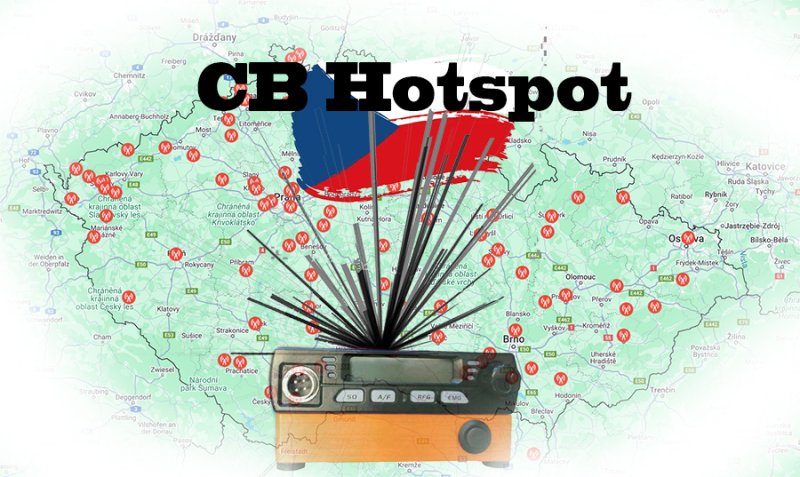
Map of hotspots in the Czech Republic: https://www.cbhotspot.cz/mapa
What equipment you need:
To use CB hotspots, you must have a radio that supports the 80 CB channels (26.565 MHz – 27.405 MHz) and is equipped with CTCSS tone selection. When transmitting, you must have CTCSS tone selection enabled (TX). Otherwise, you will not “activate” the CB hotspot, and it will not “hear” you. Your transmission will therefore not be relayed to the repeater. CB radios with CTCSShttps://www.vysilacky.com/ctcss-cb-radiostanice
You must also have a properly tuned antenna for the CB band. Tune and check the antenna using an external SWR meter (SWR = standing wave ratio). This should be part of every ham radio operator’s basic equipment. Do not transmit without checking the VSWR! Doing so risks damaging the transmitter’s power amplifier. Last but not least, you must be within range of one of the CB hotspots. You can find the location of the nearest CB hotspot on the map. (The best way to test the range of a CB hotspot is to contact someone in your area who already uses CB hotspots and ask them for help) with the setup.
Tip:
If you enable CTCSS tone selection on your transceiver for reception (RX) as well, the SQUELCH function for noise reduction will not work. This feature reduces noise—that is, it replaces the SQUELCH function and “allows through” only those stations during reception that have CTCSS enabled while transmitting (all CB Hotspots have CTCSS set to 88.5 Hz, or 103.5 Hz even when transmitting).
Some radios offer a CTCSS RT option. The RT designation means the same CTCSS setting for both RX and TX, so you don’t have to set RX and TX separately. If you’re considering purchasing a new CB radio or buying accessories, take advantage of the discounts offered to our CB Hotspot community by:
Can you add CTCSS tone selection to a radio that doesn’t have it? Yes! Radios that aren’t equipped with CTCSS tone selection can usually be retrofitted with this module. This is a module that is installed inside the radio and “mixes” a CTCSS tone of 88.5 Hz, 103.5 Hz, or another frequency into the FM voice modulation. The cost of retrofitting, including the CTCSS module, is approximately 500–1,000 CZK at specialized service centers, depending on the type of radio. Instructions for building a CTCSS module using an Arduino or for installing a CTCSS module can be found, for example, at www.ok1ocb.cz.
Practical Tip:
When transmitting via CB hotspots, keep in mind that you must leave a pause of at least 2 seconds between sessions so that others have a chance to “break in” and the CB hotspots can exchange all necessary information with each other (due to internet network delays). You can find an overview of currently active CB hotspots on the DASHBOARD.
Where to ask for help if you’re unsure about something:
CB hotspots are not a commercial service with a “guarantee” of availability or technical support. So please don’t be upset with operators whose CB Hotspots occasionally go offline or break down. Please post any issues or suggestions for improving the functionality of CB Hotspots in the CB Hotspots Facebook group.
Any reputable dealer, store, or online shop that sold you a radio can assist you with setting up your CB Hotspot.
Would you
like to have a new CB Hotspot in your area?
The primary requirement for setting up a new CB Hotspot is that it must be usable by others. This means placing it in a location that allows the signal to reach even distant users. CB Hotspots cannot be set up for private or home use. If you have the option to place a CB Hotspot in an elevated location in your area (such as the roof of an apartment building, a mast, a hill, etc.), then you can consider becoming a CB Hotspot operator. The costs of acquisition and operation are always covered by the operator(s).
What is required to set up a new CB hotspot?
Ideally, written consent from the owner or property manager of the property or land where the CB Hotspot will be located, including a sketch of the placement of all components in the photos.
CB Hotspot (antenna, coaxial cable, distribution box approx. 20x20x10 cm)
Power source: min. 230 V (the CB Hotspot’s power consumption is approx. 8 W = max. 0.008 kW/h; i.e., monthly operating costs are approximately 58 CZK at an electricity rate of 10 CZK/kW/h).
The CB Hotspot costs 3,500 CZK. It is manufactured by Jirka Hůry (ok1zjv@gmail.com).
If the CB Hotspot is connected to the internet in a remote location without a public IP address, it’s a good idea to also connect a Wi-Fi router that supports VPN, such as a Mikrotik https://mikrotik.com/product/RB941-2nD.
The internet connection should ideally be at least 5/5 Mbit (if a wired internet connection is not possible, you can use an LTE modem; we recommend an all-in-one LTE modem and Wi-Fi router, such as https://mikrotik.com/product/hap_ax_lite_lte6 or https://mikrotik.com/product/lhg_lte_kit)
TP-LINK TAPO P110 power outlet (for remote control and monitoring of electricity consumption; price approx. 360 CZK). The TAPO is controlled via the internet and a mobile app, so a Wi-Fi router is required at the CB Hotspot.
Option to install a CB vertical antenna, preferably ½λ, such as the Sirio SD27 with a length of 2 × 2.75 m, the Sirio GPS ½, or the Sirio Gain Master HW with a length of approx. 5.2 m. You can also use any other smaller antenna (though it will likely have a shorter range).